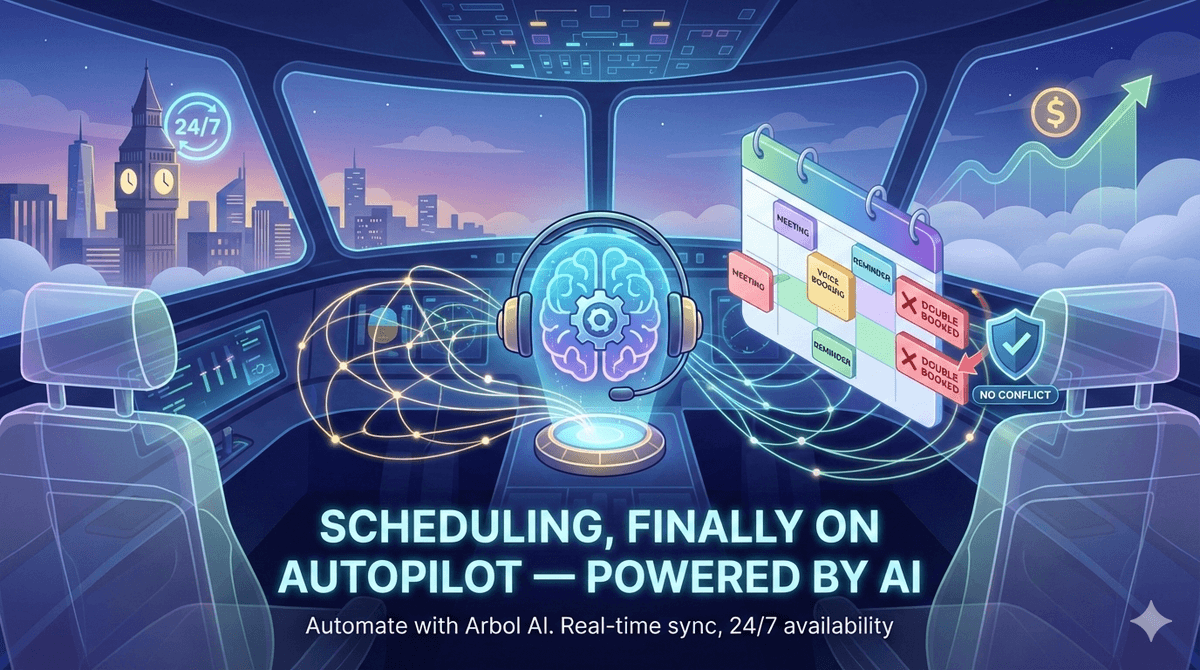

The Scheduling Challenge
Appointment scheduling represents a critical but time-consuming function for service-based businesses. Whether you're a dental practice, medical clinic, consulting firm, salon, or any business that relies on appointments, scheduling inefficiencies create cascading problems:
Staff time consumption - Receptionists spend hours daily managing calendars instead of higher-value activities
Phone tag frustration - Back-and-forth communication delays scheduling and frustrates customers
Double bookings - Manual calendar management leads to errors and conflicts
Lost revenue - Scheduling delays cause customers to choose competitors
After-hours limitations - Customers can't schedule outside business hours
Arbol AI: Your Intelligent Scheduling Assistant
Arbol transforms appointment scheduling from a labor-intensive administrative burden into an automated, seamless experience that delights customers while freeing your staff for more valuable work.
Calendar Integration That Just Works
Arbol integrates directly with your existing calendar systems - Google Calendar and Microsoft Outlook are supported natively. This seamless integration means:
Real-time availability checking - AI Employees see your actual calendar and only propose genuinely available time slots
Instant booking - When a caller agrees to a time, the appointment is created immediately in your calendar
Automatic confirmations - Meeting invitations are sent to customers with all relevant details
Zero double-booking risk - Direct calendar integration eliminates scheduling conflicts
The integration setup takes minutes. Connect your calendar in Arbol's settings, configure which AI Employees can access it, and you're ready to accept scheduled appointments through natural voice conversations.
Natural Scheduling Conversations
Scheduling through Arbol feels like talking to a helpful, knowledgeable assistant - not a rigid automated system. The AI understands scheduling requests expressed in natural language:
Example interaction:
Caller: "I'd like to schedule a consultation sometime next week, preferably in the afternoon."
Arbol AI: "I'd be happy to help you schedule a consultation. Let me check our availability for next week afternoons. I have openings on Tuesday at 2:00 PM, Wednesday at 3:30 PM, and Thursday at 1:00 PM. Which works best for you?"
Caller: "Tuesday at 2 works perfectly."
Arbol AI: "Excellent! I've scheduled your consultation for Tuesday, October 15th at 2:00 PM. You'll receive a confirmation email shortly with all the details. Is there anything else I can help you with today?"
The AI handles common scheduling complexities naturally:
Date and time preferences - "Next week," "Tuesday afternoon," "as soon as possible"
Rescheduling requests - "I need to move my Thursday appointment to Friday"
Cancellations - "I need to cancel my appointment on the 15th"
Multiple participants - "I need to schedule a meeting for myself and my business partner"
Intelligent Scheduling Parameters
Configure your AI Employees with sophisticated scheduling rules that match your business requirements:
Appointment Duration
Define standard appointment lengths for different service types. A routine checkup might default to 30 minutes, while a comprehensive consultation schedules for 60 minutes. The AI Employee communicates the appropriate duration to customers during scheduling.
Buffer Times
Prevent back-to-back scheduling by configuring buffer periods between appointments. If you need 15 minutes between patients for room preparation, Arbol automatically blocks these buffer periods when scheduling.
Availability Windows
Restrict when appointments can be scheduled based on your operating hours, specific provider availability, or business rules. Accept appointments only during business hours, limit certain services to specific days, or blackout periods for internal meetings or holidays.
Booking Horizons
Control how far in advance customers can schedule. Allow booking up to 90 days out for routine appointments while limiting urgent slots to the next two weeks. This flexibility ensures optimal calendar utilization.
Multi-Provider Scheduling
For organizations with multiple service providers or resources, Arbol handles complex scheduling scenarios:
Provider-Specific Calendars
Connect multiple calendars representing different team members, treatment rooms, or resources. The AI Employee checks the appropriate calendar based on the service requested or customer preference.
Customer Preferences
Track and honor customer preferences for specific providers. When a caller who previously worked with Dr. Smith calls to schedule, the AI Employee can offer Dr. Smith's availability first.
Load Balancing
Distribute appointments across providers to maintain balanced workloads and optimal utilization.
Scheduling Workflow Automation
Arbol extends beyond the initial booking to support complete scheduling workflows:
Appointment Reminders
Configure automated outbound reminder calls ahead of scheduled appointments. Your AI Employee calls customers 24 hours before their appointment to confirm attendance, reducing no-show rates significantly.
Rescheduling Assistance
When customers need to change appointments, the AI Employee accesses the calendar, finds alternative available slots, updates the booking, and sends new confirmations - all without human intervention.
Waitlist Management
Maintain waitlists for popular time slots or providers. When cancellations create openings, AI Employees can automatically call waitlisted customers to offer the newly available slot.
Post-Appointment Follow-Up
Schedule follow-up calls after appointments to collect feedback, schedule next visits, or address any concerns. This proactive outreach improves customer satisfaction and retention.
The Scheduling Impact: Time and Money Saved
Organizations using Arbol for appointment scheduling report:
70% reduction in scheduling staff time - Automation frees staff for patient care or other high-value activities
40% increase in appointment booking rate - Immediate scheduling removes friction and prevents lost opportunities
50% reduction in no-shows - Automated reminders improve attendance rates
Extended booking hours - 24/7 scheduling availability captures appointments outside business hours
Improved customer experience - Quick, convenient scheduling without phone tag
Beyond Basic Scheduling: Advanced Use Cases
Event Registration
Schedule customers for group events, classes, or workshops. Manage capacity limits, collect participant information, and send event details.
Resource Scheduling
Book shared resources like conference rooms, equipment, or vehicles. Prevent conflicts and optimize utilization through intelligent calendar management.
Service Appointment Windows
For field service businesses, schedule appointment windows rather than exact times, accommodating travel time and variable service durations.